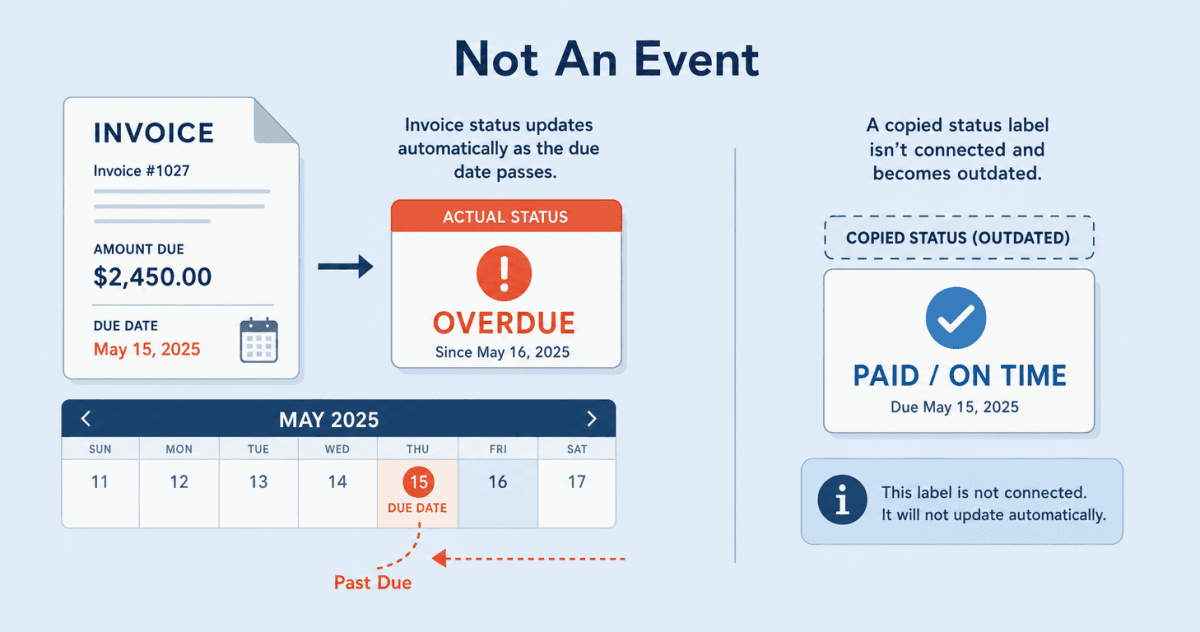
A customer success manager opens an account in Salesforce on a Friday morning, ready for a renewal call. The account looks healthy: usage is up, the last review went well, the notes are warm. So the CSM opens with an expansion offer.
What the CSM cannot see is that invoice 1042, for $8,600, was due on September 5 and is now 13 days late. The customer has ignored three reminders from finance, and here is their account manager, the same week, asking them to spend more. The call goes sideways, and the cost is not the awkward fifteen minutes. It is a renewal now tangled up with a collections problem and a customer who feels chased for money and courted for more on the same day. The invoice fact that would have changed the call lives in QuickBooks Online, a system most reps and CSMs never open, and the status of that invoice is the part teams most often get wrong, because status is not a value you copy, it is a clock.
Aonflow connects QuickBooks Online and Salesforce with pre-built connectors and near real-time data sync, so four invoice fields, the number, the amount, the due date, and the status, sit on the Salesforce record the CSM already lives in, without anyone opening the books.
This runs technical in a couple of places, so it helps to say who it is for: whoever owns the customer conversation and the money behind it. Sales and customer success leaders, revenue operations, controllers, and the IT lead who decides what a rep is allowed to see.
What a Rep Can’t See About an Invoice Costs the Call
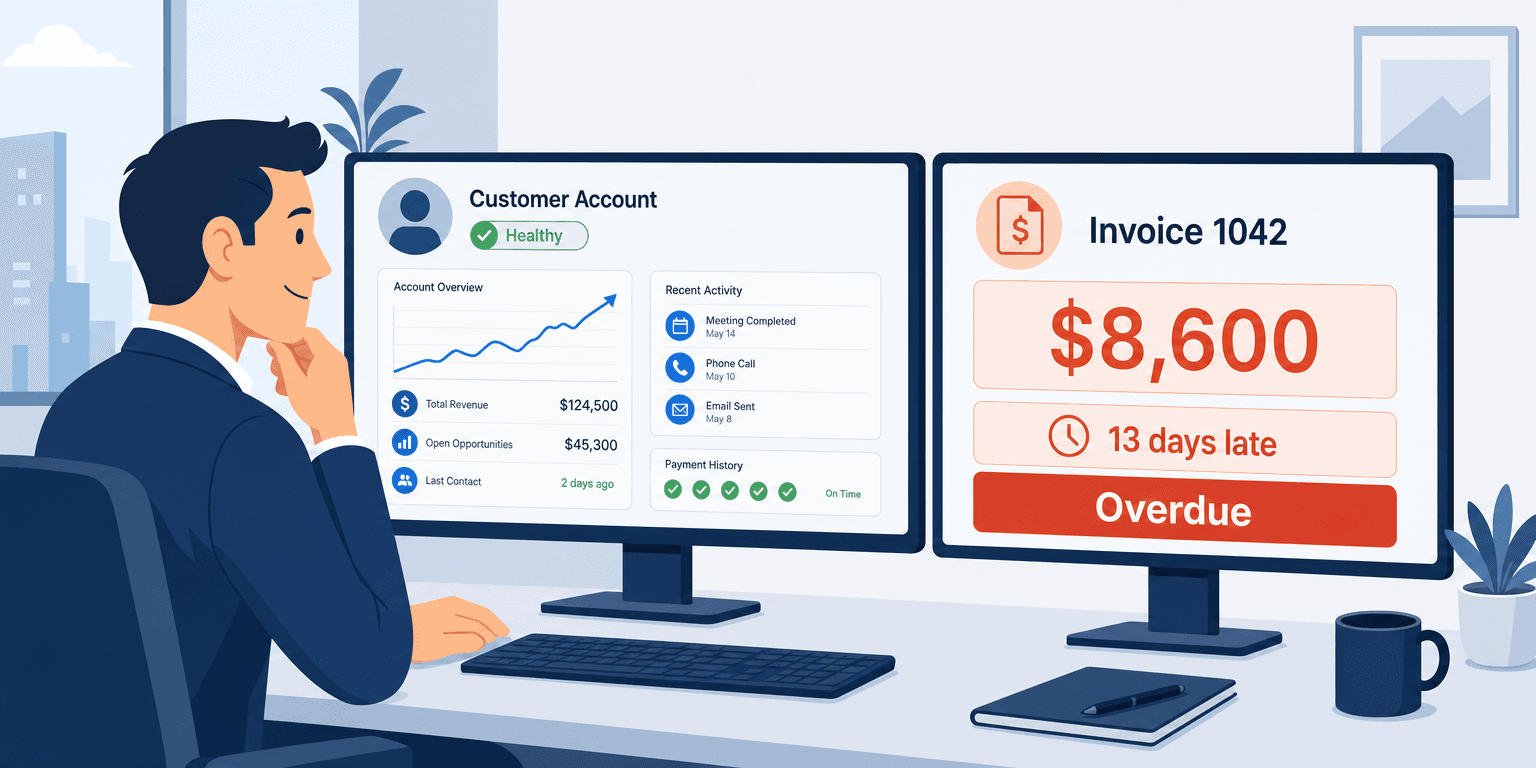
A rep or CSM works inside Salesforce all day. The invoice, its number, its amount, when it is due, and whether it has been paid, lives in QuickBooks Online, a finance system they may not have a login for. So they quote timelines and push expansions on what the CRM shows them, and the CRM shows nothing about money owed.
This is not a reporting gap finance can close with another dashboard. Finance already knows the invoice is late. The person who does not know is the one on the phone with the customer. A weekly export into a spreadsheet is stale by Tuesday, and nobody checks it before a call anyway. The only fix that changes behavior is putting the few invoice facts that matter onto the record where the conversation happens.
Before You Surface an Invoice, Resolve These Decisions
- The four fields: invoice number, amount, due date, and status. Not the whole ledger, just the four that change a conversation.
- The direction: QuickBooks publishes; Salesforce displays. The fields are read-only in the CRM.
- How status is set: derived from the due date and the balance, not copied from a stored field.
- How fresh, and the period cutoff: near real-time for the working view, with a catch-up rule for payments that clear around month end.
- Where each field lands: an account summary for the one-glance answer, a related list for the invoices themselves.
- Who owns it when it breaks: a named flow owner, a defined alert path, and a place where unmatched invoices wait.
The Four Fields, and What Each One Is For
Invoice visibility does not mean copying your accounts receivable ledger into Salesforce. It means four fields, and each one does a specific job. In QuickBooks Online, all four sit on the invoice record: a document number, the total, the outstanding balance, and the due date.
| Field | QuickBooks source | What it tells the rep |
|---|---|---|
| Invoice number | The document number on the invoice | Which document the customer is calling about, so nobody guesses |
| Amount | The invoice total, and the balance still owed | How big the conversation is, and how much is still outstanding |
| Due date | The date payment is due | Whether the clock has run out, and by how long |
| Status | Derived from due date and balance | Paid, open, or overdue, in one word, without doing math |
The amount feels like the headline, but on its own it is the least actionable of the four. An $8,600 invoice is fine if it is paid and a problem if it is 13 days overdue, and the amount alone does not tell you which. It is the due date and the status together that decide what the rep does today. The number anchors the conversation to a specific document, and the amount sizes it. But status is the field a rep reads first, and status is also the field teams get wrong.
Status Is a Clock, Not a Value You Copy
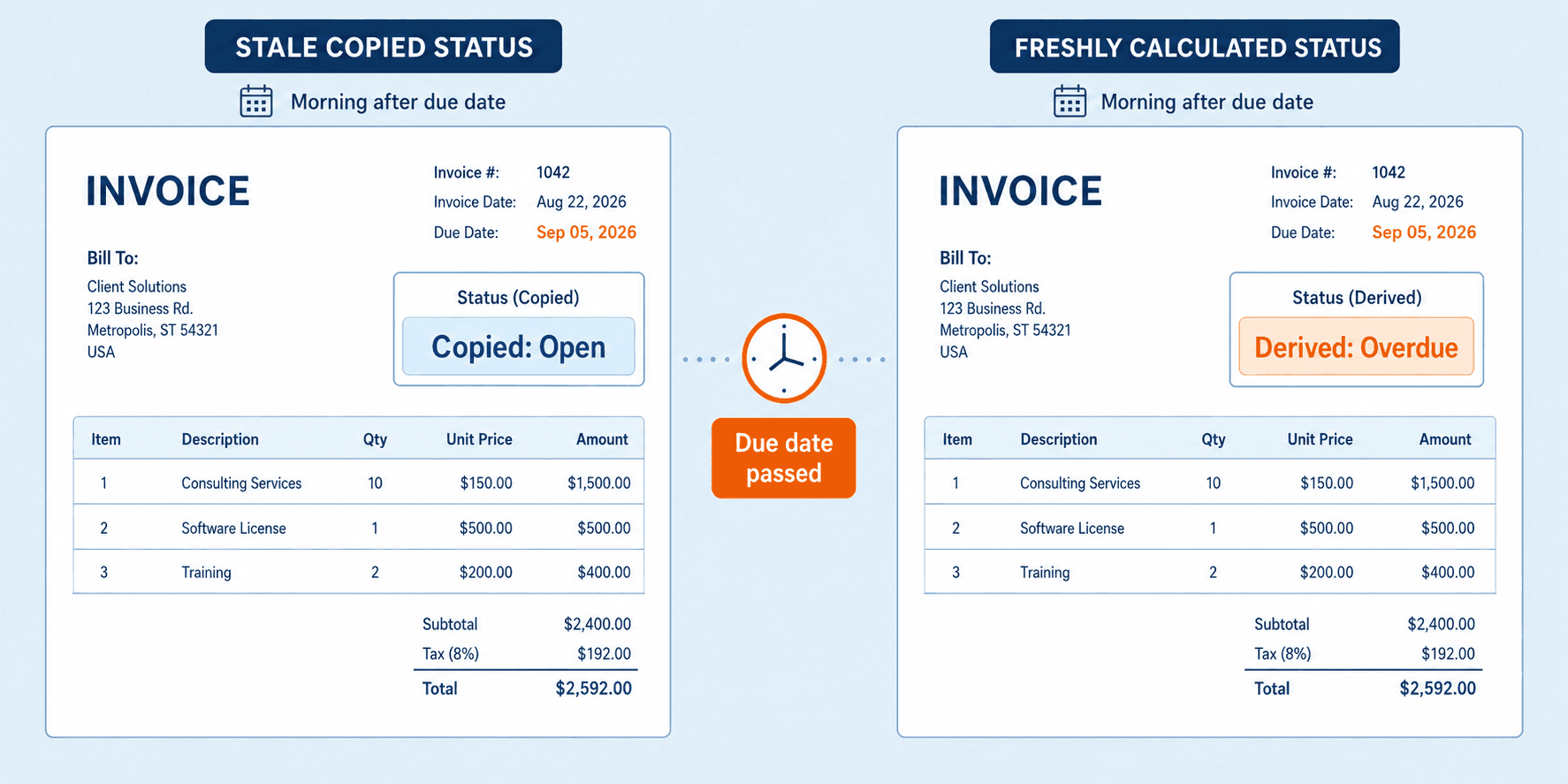
Here is the instinct almost everyone starts with: treat status as a value you copy from QuickBooks on a schedule, the same way you would copy the amount or the due date. Run a sync overnight, pull the status field, show it in Salesforce.
It does not work, and the reason is specific. An invoice does not become overdue because finance did something. It becomes overdue because a date passed. Invoice 1042 was “open” at 11:59 pm on September 5 and “overdue” one minute later, and no event fired in QuickBooks to mark the change. So a nightly copy of a stored status will show “open” for a full day after the invoice should read “overdue,” and the CSM walks into the call trusting a green label that went stale by the calendar, not by any error.
The Rule: overdue is a clock, not an event, so Salesforce derives status from the due date and the balance and never waits for finance to send it.
In practice, you sync the inputs, the due date and the outstanding balance, and let the CRM compute the state: paid when the balance is zero, overdue when the due date has passed and a balance remains, open otherwise. The inputs change through real events (a payment clears, a credit note posts) that a near real-time flow catches. The status is then correct as of the moment the rep looks, because it is calculated from the current date, not fetched from a field that only updates when something happened to be synced.
How Aonflow Surfaces QuickBooks Invoices in Salesforce
The mechanics come down to a single read flow, built without code.
- Connect QuickBooks Online and Salesforce with the pre-built connectors, so there is no point-to-point script to maintain when either side changes.
- Read invoices from QuickBooks, one direction only. The flow pulls the number, the amount and balance, and the due date. Salesforce consumes them and never writes back, so QuickBooks stays the system of record for the money. This flow publishes; the CRM consumes.
- Derive status in the flow. Rather than mapping a stored status field across, the flow computes paid, open, or overdue from the balance and the due date, which is what makes the clock problem above go away.
- Keep it current with near real-time sync, so a payment that clears in QuickBooks reaches the Salesforce record in minutes, not on tomorrow’s batch.
- Send unmatched invoices to an exception path instead of guessing, so an invoice whose customer has no clean match in Salesforce waits for review rather than landing on the wrong account.
AI-assisted mapping speeds the setup by suggesting which QuickBooks field maps to which Salesforce field, which is where the invoice-number and amount decisions get resolved once, at configuration time. It assists the person building the flow; it does not run the integration unattended.
Which Period a Late Payment Lands In
Sync latency stops being a performance question and becomes an accounting one at month end. Say invoice 1077 is paid late on September 30, but the payment clears in QuickBooks and syncs to Salesforce on October 2. Two questions follow, and finance will ask both.
First, which period does that payment belong to? The answer comes from QuickBooks and the payment-clearing date, not from when Salesforce happened to update. Salesforce is a view, so it should reflect the payment as of the date it cleared and never re-stamp it with the sync time. Second, what happens if the flow was down over the cutoff? The catch-up rule is to re-read open invoices on recovery by due date and payment date, then re-derive status, so an invoice paid on September 30 but processed on October 2 still shows correctly and reports into September. Any report of “overdue receivables as of month end” should key off the due date and the payment-clearing date, never the sync timestamp, or a slow batch will misstate the aging.
Where Each Field Belongs on the Salesforce Record
A customer usually has more than one invoice open, so the four fields land in two places.
- A summary on the account. A single “total outstanding” figure and an “oldest overdue” flag give the rep the one-glance answer before a call.
- A related list for the invoices themselves, one row per invoice, showing number, amount, due date, and status. This is where a customer chasing “invoice 1042” gets an honest, specific answer.
Keep the fields read-only. A rep should read finance’s numbers, not edit them, so the display never becomes a second, disagreeing copy of the books.
A Worked Example: One Upsell Call, Two Invoices
Back to Friday morning. Before the renewal call, the CSM opens the account, and the related list now shows two invoices. Invoice 1042 is $8,600, due September 5, status Overdue, 13 days late. Invoice 1051 is $2,400, due September 30, status Open. The account summary reads “total outstanding $11,000, oldest overdue 13 days.”
That one glance changes the call. Instead of leading with expansion, the CSM clears the air on 1042, flags it to the customer as something they can help unblock, and lets the $2,400 that is not yet due sit where it belongs. The expansion conversation moves to the following week, once the overdue invoice is resolved. Same customer, same CSM, a completely different call, and the only thing that changed is that four fields were on the screen.
Who Owns This When It Breaks
Surfacing the data is the easy part. Owning it when a sync fails is what keeps the numbers trustworthy.
- Who owns the flow? Revenue operations owns the invoice-visibility flow, because RevOps owns what a rep sees in Salesforce. Finance owns the source data in QuickBooks.
- Who gets alerted when it fails? The RevOps flow owner is alerted on a failed run. Finance is notified when an invoice misses period cutoff. Expired QuickBooks credentials escalate to the IT lead.
- Where do failed records wait for review? An invoice with no clean customer match goes to an exception queue and shows nothing on any account, rather than landing on the wrong one.
Escalation triggers to build in:
- No successful sync in the expected window, so the working view is going stale.
- An invoice whose customer cannot be matched to a Salesforce account.
- A payment that clears after the period cutoff, so finance can confirm the period.
Aonflow’s confirmed security posture supports this with role-based access control, audit trails, encrypted transport over HTTPS, and read-only token access, so what a rep can see is governed and every sync is logged.
FAQ
Does this replace QuickBooks or a finance portal?
No. It surfaces four decision-relevant fields where reps and CSMs work. Full accounts receivable reporting stays in QuickBooks for the people who own collections.
Why not just push all our invoices into Salesforce as records?
Because you would be maintaining a second ledger that has to agree with the first. Four read-only fields answer the question a rep actually has without creating a copy that can drift.
Do we need a developer to set this up?
No code is required to build the flow, though you do need someone who knows how your QuickBooks and Salesforce data line up, so customers match cleanly and the fields map to the right place.
How current is the invoice status a rep sees?
It is derived from the current date and the latest synced balance, so it is correct as of the moment they look, and the balance itself updates in near real-time as payments clear.
Does this work the same with a different accounting system?
The approach holds whatever finance system you run: sync the inputs, derive the status, keep it read-only. The connector changes; the four fields and the clock rule do not.
Conclusion
Invoice visibility is not the connection. It is a few decisions: surfacing the right four fields, keeping them read-only, deriving status from the due date instead of copying it, handling the payment that clears around month end, and naming who owns the flow when it breaks. Teams that struggle usually try to sync the whole ledger, then wonder why the two copies stop agreeing.
Before you surface anything, take your most awkward recent renewal, the one where a rep pitched a customer finance was chasing, and check which of the four fields would have caught it. Surface those first.
Get Started with Aonflow iPaaS – Free Trial Available!
Build and deploy your integrations at zero cost. No credit card required!