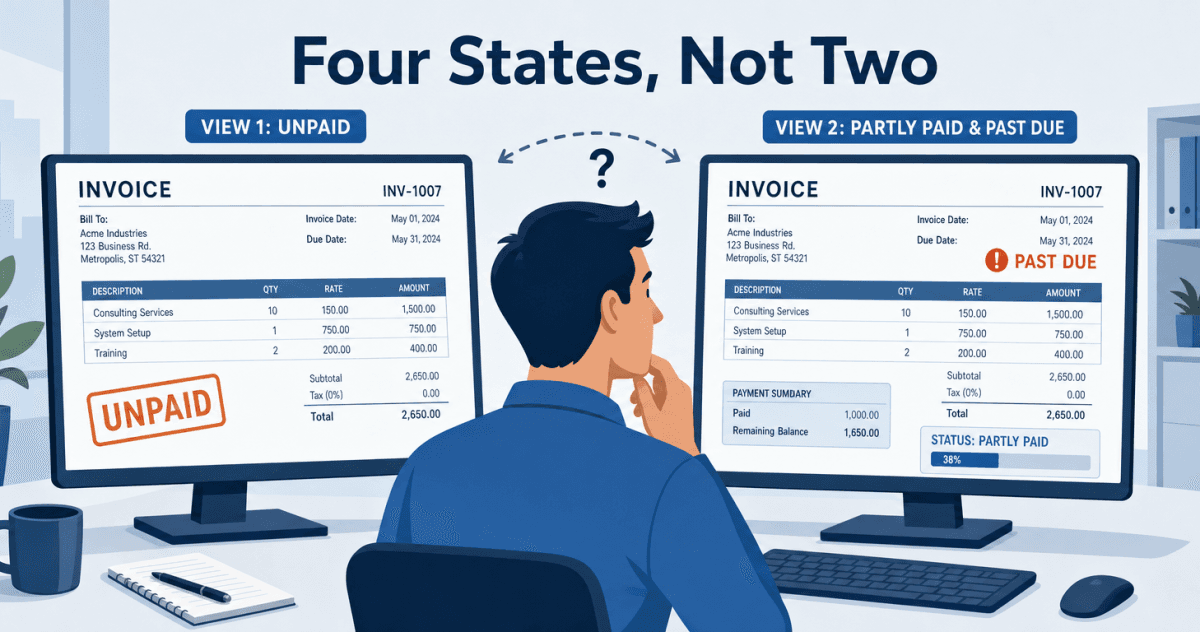
A rep opens an account in Salesforce before a renewal call. The status on the record looks fine, so the rep leads with an expansion offer. What the rep cannot see is that a $12,400 invoice went past due last week, and that the $5,000 the customer wired in September only cleared part of it. The account is not fine. It is both overdue and partially paid, and the CRM shows neither.
The cost is not the awkward call. It is a forecast built on a number finance already knows is soft, a collections case made harder because sales just asked the same customer to spend more, and a renewal tangled up with a payment dispute. The payment data that would have changed the call lives in NetSuite, a system most reps never open. So they act on what Salesforce shows them, and Salesforce shows a payment picture that is either missing or wrong.
Aonflow connects NetSuite and Salesforce with pre-built connectors and near real-time data sync, so payment status sits on the Salesforce record the rep already lives in, read-only and current, without anyone opening the books. The hard part is not moving the data. It is that the status is not a single field you can copy.
This runs technical in a couple of places, so it helps to say who it is for: whoever owns the customer conversation and the money behind it. Sales and customer success leaders, revenue operations, controllers, and the IT lead who decides what a rep is allowed to see. The approach holds whichever integration platform you use; the Aonflow section shows how it comes together here.
Before you surface payment status, resolve these decisions:
- The four states: paid, unpaid, overdue, and partially paid. Four defined states, not a free-text field.
- Where each state comes from: paid and unpaid are stored on the ledger; overdue and partially paid are computed from the due date and the remaining balance.
- The direction: NetSuite publishes, Salesforce displays. The status is read-only in the CRM.
- How fresh, and the period cutoff: near real-time for the working view, and a defined catch-up rule for payments that clear around month end.
- Where the status lands: a summary state on the account, the individual invoices in a related list.
- Who owns it when it breaks: a named flow owner, a defined alert path, and a place unmatched payments wait.
What “Unpaid” Hides When Salesforce Copies It
The instinct is to treat payment status as a value you sync: read the status off the invoice in NetSuite, write it to a field in Salesforce, done. It fails on the two states that matter most.
NetSuite stores an invoice as open or paid in full. When a customer pays part of what they owe, the status stays open, per Oracle’s documentation on applying a payment on an invoice. There is no stored partially paid flag to copy, and no stored overdue flag either, because overdue is not a property of the invoice. It is a property of today’s date against the due date. So a naive sync surfaces two of the four states you care about and hides the two that change a conversation.
A rep who sees “open” reads it as “unpaid” and assumes nothing has been paid. In fact, $5,000 landed three weeks ago and $7,400 is now past due. Same field, two very different calls.
The Four States, and Where Each One Comes From
Each state answers a different question, and each is sourced differently.
| State | What it means | Where it comes from |
|---|---|---|
| Paid | Balance is zero, invoice closed | Stored on the ledger |
| Unpaid | No payment yet, not past due | Stored as open, current by date |
| Overdue | Balance remains, due date passed | Computed from due date vs today |
| Partially paid | Some payment applied, balance above zero | Computed from applied amount vs total |
The two stored states are a read. The two computed states are logic you own. And the two computed states can be true at once: an invoice can be partially paid and overdue at the same time, which is exactly the situation a binary paid or unpaid field cannot express.
Why Overdue and Partially Paid Are Computed, Not Synced
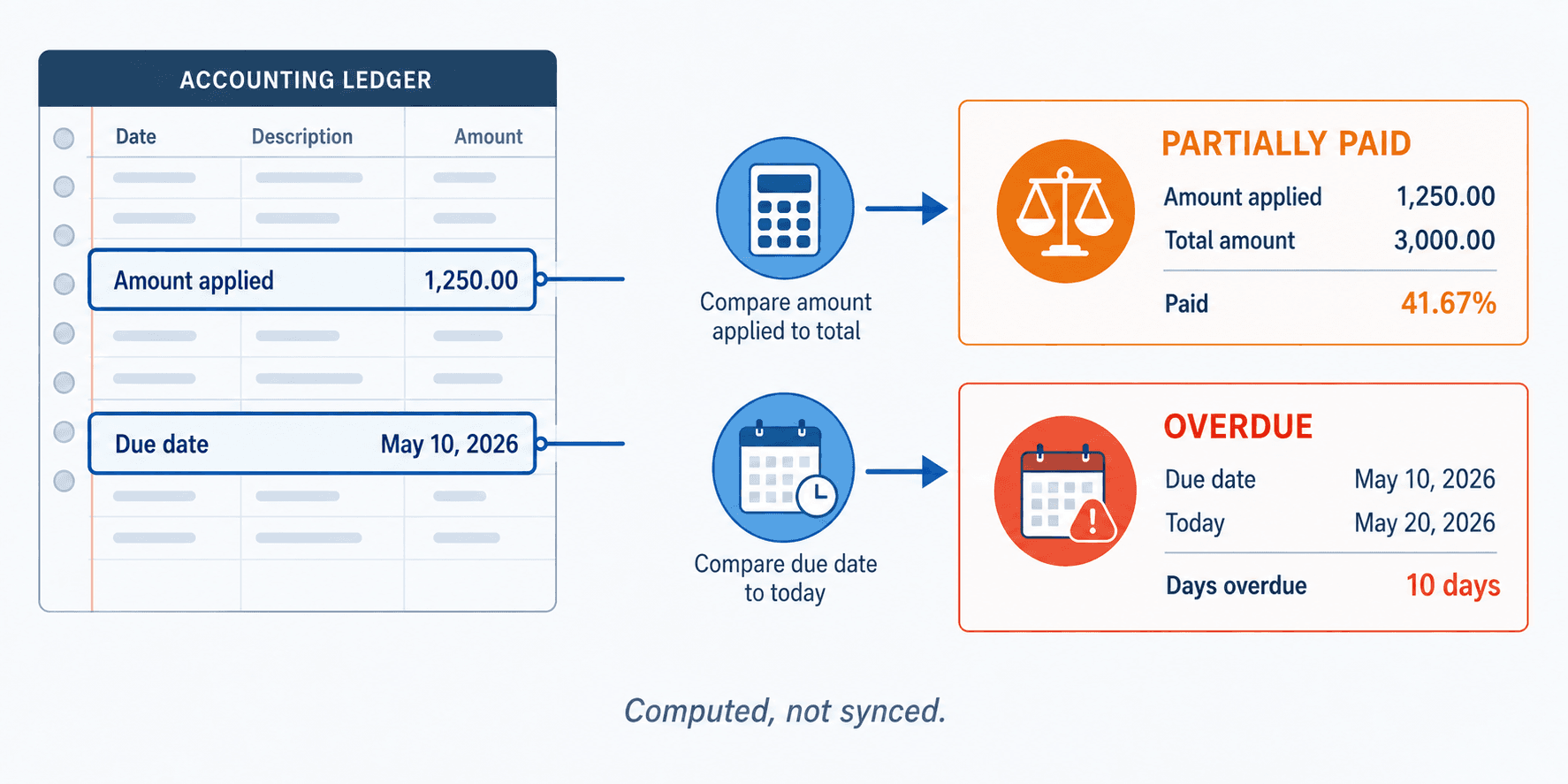
It is tempting to trust the source system’s status field because it is the source of truth. For payments, the source of truth stores less than you think. NetSuite is authoritative about the amount applied and the due date. It is not authoritative about “overdue” or “partially paid,” because those are interpretations, not stored facts.
The Rule: paid and unpaid you can read off the ledger. Overdue and partially paid you have to compute, and they change while nobody touches the record.
That last clause is the operational catch. An invoice can flip from unpaid to overdue overnight, with no edit, no event, and no field change in NetSuite. If your sync only fires on record changes, the invoice that quietly went past due at midnight never triggers an update, and Salesforce keeps showing “unpaid” until something else on the record happens to change. Overdue needs a clock, not an event.
How Aonflow Surfaces NetSuite Payment Status in Salesforce
Aonflow builds the four-state model as a workflow, not a field copy. NetSuite publishes the raw facts: the invoice total, the amount applied, and the due date. The flow derives the state. Salesforce consumes it read-only.
Aonflow lets teams:
- Pull the raw amounts, not the label: sync the invoice total, the applied amount, and the due date from NetSuite with pre-built connectors, so the flow has what it needs to compute the partially paid and overdue states from the four-state table above.
- Derive the four states in the flow: express the paid, unpaid, overdue, and partially paid rules with AI-assisted field mapping and LLM-based flow building, which can reduce integration time by more than half.
- Refresh on a schedule, not only on change: re-evaluate overdue on a near real-time cadence, so the invoice that crosses its due date at midnight updates even when nothing edited the record.
- Write it back read-only: land the derived status on Salesforce fields the rep can see but not change, using field-level security.
- Recover quietly when a run fails: self-healing flows detect and recover a broken run, so a missed sync does not silently leave stale status on the record.
Because the state is computed in the flow, the same logic covers the overpayment case, where a payment larger than the balance leaves an unapplied credit in NetSuite rather than closing the invoice.
Which Period a Late Payment Lands In
Payment timing stops being a performance question and becomes an accounting one at month end. If a customer pays a September invoice and the payment is applied in NetSuite on October 1, the cash belongs to October, the period the payment was applied, not the period the invoice was raised. Your derived status has to respect that, or a payment that clears after the cutoff makes a closed period look different than the books say.
Two rules keep this clean. First, derive status against the payment application date, not the moment the sync happened to run. Second, when a flow is down over the cutoff, the catch-up re-evaluates each invoice as of its correct date, so a payment that cleared on September 30 but synced on October 2 still lands in September. A catch-up that stamps everything “now” is worse than no catch-up, because it moves cash into the wrong period without anyone noticing.
Where Payment Status Belongs on the Salesforce Record
- On the account: a single summary state, so a rep glancing at the account sees the worst open state across the customer’s invoices.
- In a related list: each invoice with its own state, amount, and due date, for the person who needs the detail.
- Read-only, everywhere: field-level security keeps the CRM reflecting the books, not editing them.
One rule worth adding even though it’s not a feature: agree with finance, in writing, exactly which balance a rep is allowed to quote, before you build the field. A number on the CRM becomes a promise the moment a rep reads it aloud.
A Worked Example: One Invoice, Two States at Once
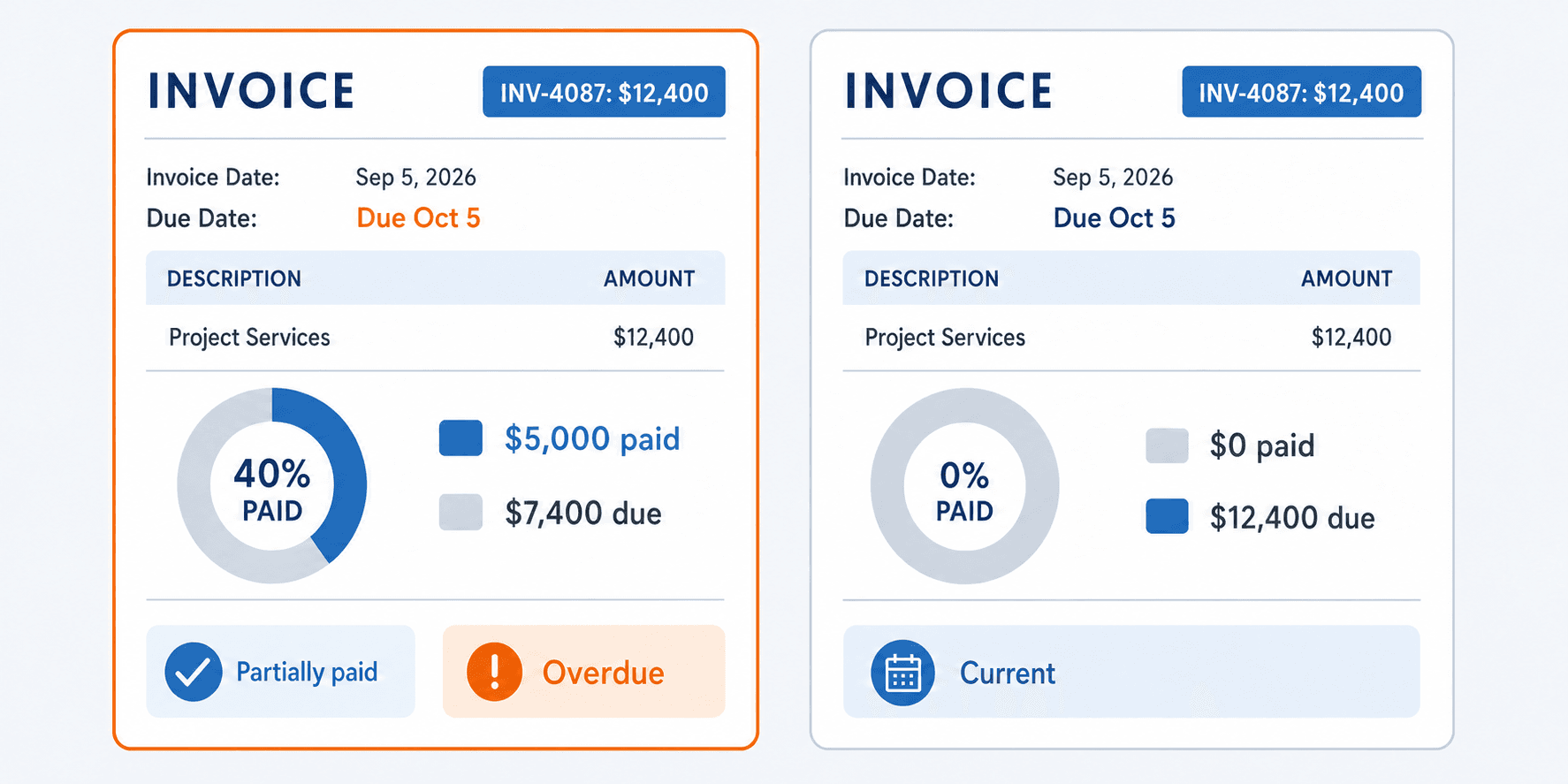
Invoice INV-4087 is raised for $12,400, due October 5. On September 28 the customer pays $5,000, which is applied against the invoice. The balance is now $7,400. In NetSuite the invoice status is still open, because a partial payment does not close it.
On October 6 the invoice crosses its due date. It is now partially paid and overdue at the same time. A sync that copied NetSuite’s status field would still show “open,” and a rep would read that as untouched and current. The derived model shows both true states, plus the $7,400 still owed, so the rep walks into the renewal knowing the account has money in dispute rather than discovering it mid-call.
Who Owns This When It Breaks
- Who owns the flow? Revenue operations owns the NetSuite to Salesforce payment flow, with finance as the authority on the status rules themselves.
- Who gets alerted when it fails? The RevOps owner gets the alert from Aonflow’s monitoring, with a finance contact copied when the failure touches period cutoff.
- Where do failed records wait for review? Payments that cannot be matched to an invoice, and invoices with no due date, hold in a review queue rather than posting a wrong status to the CRM.
Escalation triggers:
- A payment arrives that matches no open invoice.
- An invoice syncs with a missing or invalid due date.
- The scheduled overdue re-evaluation does not run by its expected time.
Aonflow’s confirmed security posture applies here: HTTPS encrypted transport and read-only token access, with role-based access control governing who sees the payment fields.
FAQ
Does this replace our accounting system?
No. NetSuite stays the system of record for payments. Aonflow surfaces a read-only view in Salesforce and never writes payment data back.
Why not just copy NetSuite’s invoice status?
Because it only stores open or paid in full. Overdue and partially paid are not stored, so copying the field hides the two states reps most need.
Can a rep change the payment status in Salesforce?
No. The derived fields are read-only through field-level security, so the CRM reflects the books rather than competing with them.
How current is the status?
Near real-time for payment events, plus a scheduled re-evaluation so overdue updates when an invoice crosses its due date with no other change.
Do I still need an integration platform for this?
Yes, unless you plan to maintain point-to-point code that copies amounts and recomputes states on a schedule yourself. The platform is what turns a one-time copy into a state that stays correct.
Conclusion
Payment status looks like one field and behaves like four. Two of them you can read off NetSuite, and two you have to compute from the due date and the remaining balance, which means they change while nobody touches the record. Define the four states, decide where each comes from, refresh on a schedule as well as on events, keep it read-only, and anchor the catch-up to the payment date. Do that, and a rep can trust what the CRM tells them before a call.
Before your next quarter-end, pull one partially paid, overdue invoice and check what your CRM shows for it today.
Get Started with Aonflow iPaaS – Free Trial Available!
Build and deploy your integrations at zero cost. No credit card required!