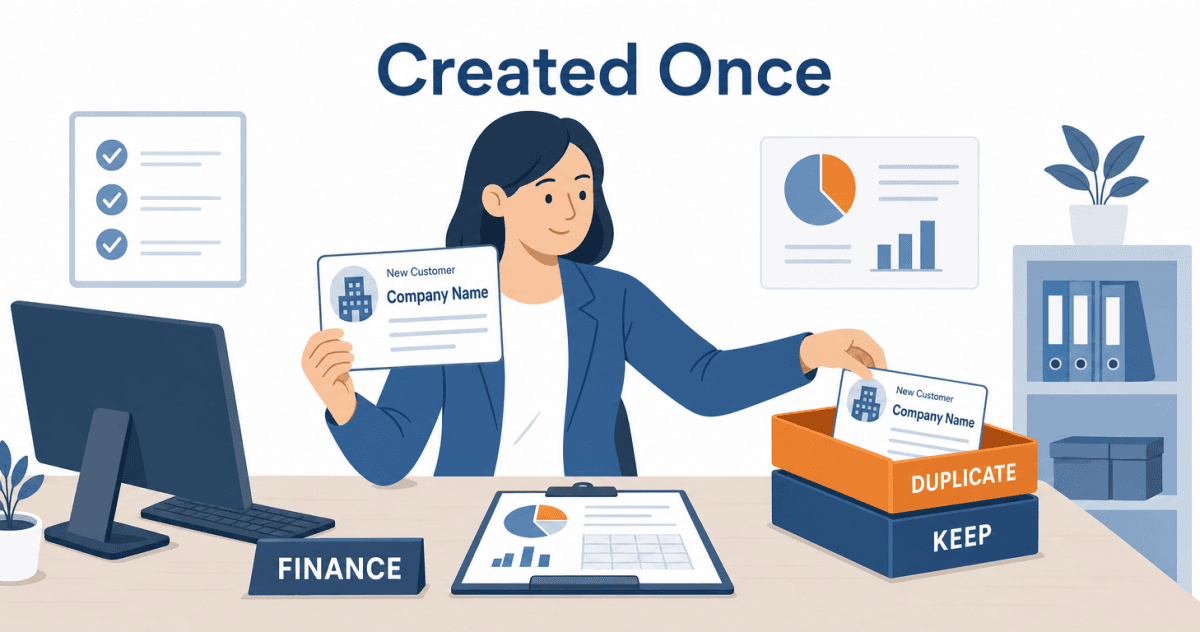
A rep closes a first deal with a new customer on a Thursday afternoon. By Friday morning, Business Central holds two customer cards for that company. The integration created one. A finance clerk typed in the other, because the first order arrived and the system said the customer did not exist.
Nobody was careless, and that is what makes it expensive. A month later the customer pays $14,250 against one number while the invoice sits open on the other. A reminder letter goes out for money already received. Once a customer has posted transactions, Business Central will not let you delete the card (Microsoft Learn), so undoing a wrong one takes finance an afternoon. Most duplicate customers are not created by two careless people. They are created by one flow that never heard back.
Aonflow has pre-built connectors for both Salesforce and Business Central, so the way you sync customers between Salesforce and Business Central becomes a configured flow with named rules, running in near real-time. The rules are yours to decide, and they hold on any integration platform. This is for whoever owns the customer list: finance and operations leads, controllers, and hands-on founders.
Before the first customer syncs, settle these six decisions:
- Creation authority: which system is allowed to create the customer record, because only one should.
- Creation trigger: the moment a Salesforce prospect becomes a Business Central customer.
- The duplicate check: what the flow searches for before it creates anything.
- The customer template: what Business Central needs that Salesforce does not hold.
- The number writeback: how the customer number reaches Salesforce, and what happens if it does not.
- Period cutoff: which month an order lands in while its customer is still waiting.
What Does a Duplicate Customer Actually Cost?
Two records for one company look like a tidiness problem. They behave like an accounting problem.
First, a payment lands on one card while the invoice sits on the other, so one looks overdue and the other looks in credit. Second, credit control splits. Business Central compares the balance on a customer’s card with the credit limit on that same card (Microsoft Learn). So a customer spread across two cards can carry twice the exposure finance approved before anything warns you. Third, revenue per customer reads low on both records.
The customer flow has one job: it admits a company to the ledger. The order, invoice and payment flows all depend on it, so a mistake here travels downstream.
Creation Authority: Which System May Create the Customer
Both systems create customers, for different reasons. Sales creates accounts in Salesforce all day, often without meaning to. Converting a lead creates an account and a contact. Salesforce notes that a lead is typically converted when it becomes a real opportunity you want to forecast (Salesforce Developers). That is usually months before anyone buys. Meanwhile, finance creates customers in Business Central when an order turns up and the customer is not there.
It is tempting to fix this by syncing every Salesforce account into Business Central, so the two lists match. They should not match. Salesforce holds every company you have ever spoken to. Business Central should hold the ones you bill.
The Rule: a customer record is created once, by one system, at the moment there is something to bill, and every other copy is a link to it, not a second record.
In practice, Salesforce decides that a company exists, the flow creates the Business Central customer from it, and manual creation in Business Central becomes an exception path worked by one or two named people.
Ask finance one question before you design anything: how many people created a customer card last quarter? If the answer is more than two, that is where your duplicates come from.
Creation Trigger: The Moment a Prospect Becomes a Customer
A customer card that appears too early fills the ledger with prospects. One that appears too late blocks the first order. So choose the moment deliberately:
| Trigger | What it buys you | What it costs |
|---|---|---|
| Account created in Salesforce | Every company exists in both systems | The ledger fills with prospects who never buy |
| Opportunity reaches a late stage | Finance can review credit before the deal closes | Some customers are created and never billed |
| The same condition that starts the order flow | The customer appears exactly when the first order needs it | Credit review happens after the deal is won |
The third row suits most teams, run as the step before order creation: the customer is created, its number is written back, and only then does the order go through. Our guide to turning a closed-won opportunity into a sales order covers how to pick that condition.
The Duplicate Check: Search Before You Create
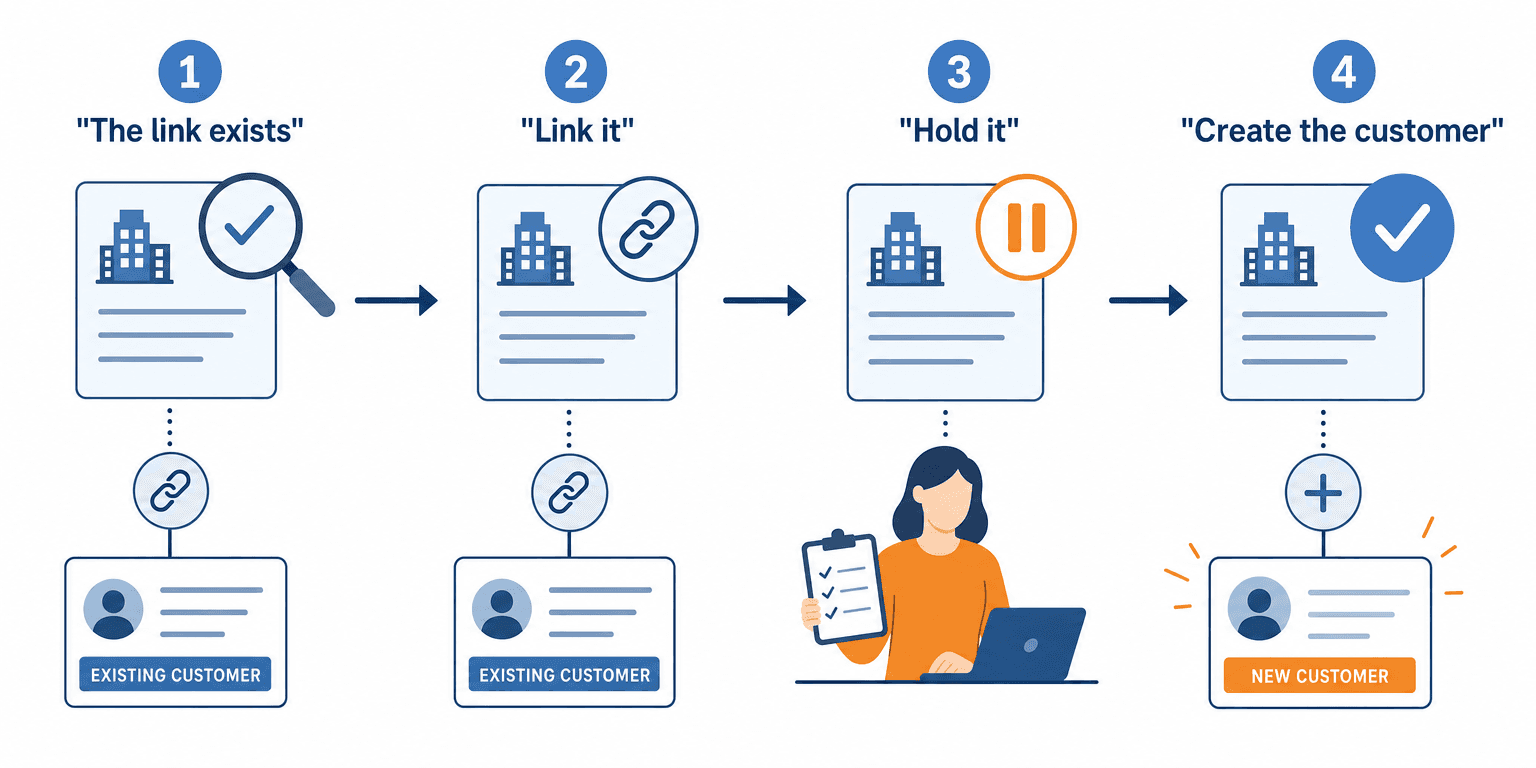
Matching on company name fails quietly. “Northfield Supply” and “Northfield Supply Co.” are two strings and one customer. So the flow searches in a fixed order and creates only when every search comes back empty.
| What the flow finds | What it does |
|---|---|
| 1. A customer number already on the Salesforce account | The link exists. Create nothing |
| 2. Exactly one customer with the same tax ID or web domain | Link it and write the number back. Create nothing |
| 3. A name match only, or several matches | Hold it for a person to review. Create nothing |
| 4. No match at all | Create the customer from the template |
Three of the four outcomes create nothing. That is the design working.
The Customer Template: What Business Central Needs That Salesforce Does Not Hold
A Salesforce account knows who a company is. A Business Central customer also has to know how you will bill it, and Salesforce holds very little of that.
Business Central fills the gap with customer templates, which prefill a new customer card with predefined information and help keep it correct each time (Microsoft Learn). The flow picks a template by rule and copies only what Salesforce genuinely owns:
| What the Salesforce account holds | Where it lands in Business Central | The decision you have to make |
|---|---|---|
| Account name | Customer name | Legal name or trading name? Invoices print it |
| Billing address | Customer address | Which system owns it after creation? |
| Billing country | The template choice | Which template does each country use? |
| Phone and website | Contact details | Copy once, low risk |
| Nothing | Payment terms | Template default, or a finance decision per customer? |
| Nothing | Credit limit | What starting limit will finance accept? |
Check the last row twice. In Business Central, a blank credit limit means the customer has no credit limit at all (Microsoft Learn). A template that leaves it empty gives every customer the flow creates unlimited credit.
The Number Writeback: Linking the Two Records
Business Central assigns the new customer a number from a number series, unless someone has switched that series to manual numbering (Microsoft Learn). The flow writes that number to a read-only field on the Salesforce account. The creation flow admits; the writeback flow links. Every later flow, from orders to payment status, matches on that link.
Here is where duplicates are really born. When the writeback fails, Salesforce still shows no number. The next order finds no customer, and someone creates one by hand. So treat a missing writeback as a failure rather than a delay. Show a “customer pending” status on the account while creation is in progress. People wait for a status they can see. After creation, each field needs one owner, as our complete guide to Salesforce and Business Central integration explains.
Period Cutoff: Which Month an Order Lands In While Its Customer Waits
A customer card has no accounting period. The order waiting for it does.
Take a deal that closes on September 30 at 4:50 pm. The duplicate check finds two possible matches and holds creation. Finance resolves it on October 1, and the order posts in October. Business Central controls which dates accept postings through Allow Posting From and Allow Posting To (Microsoft Learn). Once finance moves that window to October, September is closed to the order.
Agree two rules with finance:
- The normal rule. The order carries the close date as its posting date while the posting window allows it.
- The catch-up rule. After a hold or an outage across month end, held orders keep their original close date. Finance decides each one, rather than letting them post into whichever period is open.
Then add “clear the customer review queue” to the close checklist.
How Aonflow Runs Customer Sync Between Salesforce and Business Central
Aonflow lets teams:
- Trigger customer creation on the condition you chose through the pre-built Salesforce and Business Central connectors, so the customer exists before the first order needs it.
- Build the four-step duplicate check as flow steps, so the branch and the hold live in a no-code flow instead of in a clerk’s memory.
- Map the account to the right customer template with AI-assisted mapping, which reduces integration time by more than half.
- Alert on a missing number writeback, and recover it with self-healing flows, which is exactly the failure behind the second card in the example below.
Aonflow does not replace either system. The customer still lives in Business Central and the account still lives in Salesforce.
A Worked Example: One Customer, Two Numbers
A 70-person packaging distributor runs sales in Salesforce and finance in Business Central.
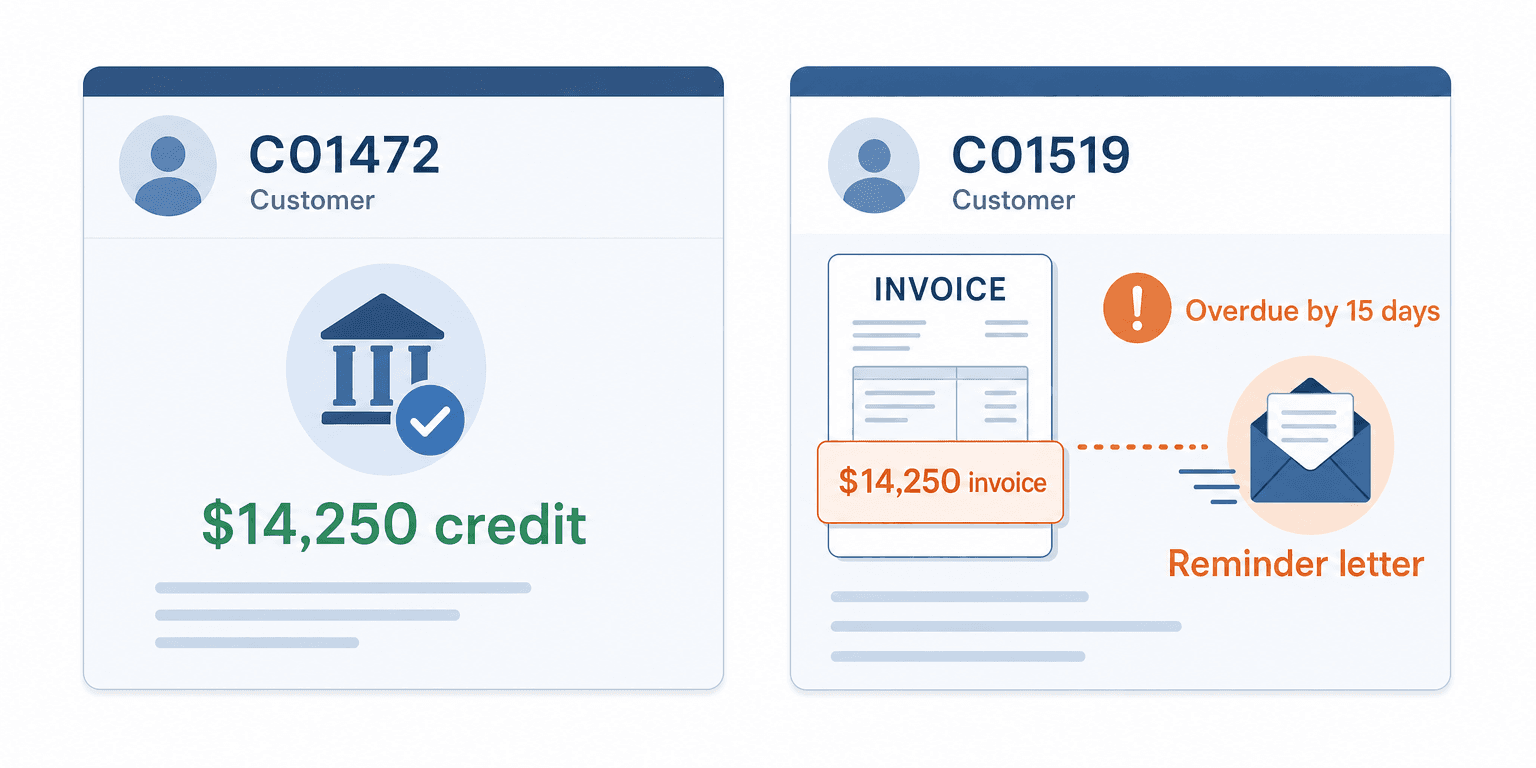
- Thursday, August 6, 4:12 pm. A rep closes a $14,250 first order. The flow creates customer C01472, but the writeback times out, so the Salesforce account shows no number.
- Friday, August 7, 8:40 am. The order flow cannot find a customer. A finance clerk creates C01519 by hand to release the order, and the $14,250 invoice posts to C01519 on net 30 terms.
- Friday, September 4. The customer pays $14,250. The cash receipts clerk searches by name and applies it to the first match, C01472.
- Monday, September 21. C01519 shows $14,250 overdue by 15 days, and a reminder letter goes out. C01472 shows a $14,250 credit.
Nothing failed loudly. The fix was three changes, not a project: an alert on any writeback still missing after 15 minutes, a “customer pending” status that makes the order flow wait instead of failing, and manual creation limited to the person who works the review queue.
Who Owns This When It Breaks
Who owns the flow? The accounts receivable lead in finance operations, because finance lives with the duplicates. Sales operations owns the trigger condition in Salesforce.
Who gets alerted when it fails? The accounts receivable lead on every held creation. Sales operations when a won deal is still waiting for a customer number after four business hours. The IT head on a connection or credential failure that survives a self-healing retry.
Where do failed records wait for review? In a customer review queue, not a log file. Each held record keeps the Salesforce account, the candidate matches, the reason it stopped, and the close date of any order waiting behind it. Nothing is created and nothing retries silently.
Escalation triggers:
| Trigger | Who acts | Within |
|---|---|---|
| A creation held on a name match or several matches | Accounts receivable lead | Same business day |
| A won deal with no customer number after 4 business hours | Sales operations | Same business day |
| A customer card in Business Central with no linked Salesforce account | Accounts receivable lead | Weekly review |
| A writeback failure that survives a retry | IT head | 1 hour |
Role-based access control governs who can change the flow, audit trails record what changed, and data moves over HTTPS. Those controls help once the three questions above have named people against them.
FAQ
Should a customer created in Business Central also create a Salesforce account?
Sometimes, for example when finance onboards a customer directly. Treat it as an exception path and run the same duplicate check in reverse. Salesforce has probably known the company for months.
Do we need to clean up existing duplicates before go-live?
Yes, because the duplicate check matches against what is already there. Business Central has a Merge Duplicate page for customers, available to users with the MERGE DUPLICATES permission set (Microsoft Learn). Work the list before the flow starts adding to it.
What about contacts?
Keep them in Salesforce. Business Central needs to know who to bill, not the whole buying committee. Sync a billing contact only if invoices go out by email.
Does this replace the duplicate controls inside Salesforce?
No. Whatever duplicate controls you run inside Salesforce still govern Salesforce. The flow covers the gap between the two systems, which neither system watches on its own.
Conclusion
One company should live under one number, and six decisions keep it there: creation authority, creation trigger, the duplicate check, the customer template, the number writeback, and period cutoff. Answer them before the first sync, and you close the door the second card came through.
Before you go live, export your Business Central customer list, sort it by name, and count the pairs. That number is your baseline, and it should only go down.
Get Started with Aonflow iPaaS – Free Trial Available!
Build and deploy your integrations at zero cost. No credit card required!